

Reverse-engineering my Aula F108Pro on Linux to fix the F-keys
The F1–F12 keys on my Aula F108Pro stopped behaving properly on Linux. I dug through my Arch journal and ended up reverse-engineering the logs to understand HID descriptors, hid-apple, XKB, Wayland, X11, and the whole mess behind those keys.
My Aula F108Pro worked fine on Linux… until one day the F1, F2, F3 keys — and basically the whole F1–F12 row — stopped behaving properly.
Before getting into the problem, quick context: after trying a bunch of mechanical keyboards, this Aula F108Pro is still one of my favorites even after more than a year of use. I like the feel, the sound, the build, the knob, the little screen, and that slightly ridiculous gamer-keyboard vibe where it feels like the thing has more firmware than common sense.
At first I thought it was GNOME doing GNOME things, some broken extension, Wayland being Wayland xD, or just Linux reminding me that peace was never an option. But no. The problem was deeper.
I checked the Arch journal and ended up reverse-engineering the logs to understand what the hell was going on: HID descriptors, hid-apple, XKB, Wayland, X11, and the whole soap opera behind those keys.
Spoiler: my keyboard was presenting itself to Linux as an Apple Wireless Keyboard. So the kernel loaded the hid-apple driver, which has special logic for Fn, F-keys, and media keys.
But the interesting part was not just “change one parameter and done”. Some keyboard interfaces were detected as clones and the driver disabled part of the special Fn handling; on top of that, the keyboard firmware itself was also doing its own internal logic.
Basically, my keyboard was not Apple, but Linux was treating it like it came with a tiny fucking apple logo.
The problem
The actual problem was simple:
- The
F1–F12keys stopped behaving the way they should. - The keyboard showed up in the logs as
F108Pro Dongle. - Linux detected it with Apple’s Vendor ID.
- The kernel loaded
hid-appleinstead of treating it as a generic HID keyboard. - Some interfaces showed the
Fn key not foundwarning, which meant the driver disabled specialFnhandling for those interfaces. - But the main interface did not necessarily show that warning, so
fnmodecould still be relevant for part of the device. - The result: the F-key row looked like a simple problem, but the real story involved
hid-apple,fnmode, initramfs, and the keyboard firmware all getting involved.
And of course, the first thing I did was check what the system had to say.
Because on Linux, when something breaks, the first suspect is not always the hardware. Sometimes the culprit is hiding in a log, laughing at you in hexadecimal.
What the journal said
Every time the dongle connected — on boot, after a USB reset, or after replugging it — the kernel printed something like this:
kernel: usb 1-6.4.1: Product: F108Pro Dongle
kernel: apple 0003:05AC:024F.0003: input,hidraw4: USB HID v1.00 Keyboard [F108Pro Dongle] on usb-0000:00:14.0-6.4.1/input0
kernel: apple 0003:05AC:024F.0004: Fn key not found (Apple Wireless Keyboard clone?), disabling Fn key handling
kernel: apple 0003:05AC:024F.0004: input,hidraw5: USB HID v1.00 Mouse [F108Pro Dongle] on usb-0000:00:14.0-6.4.1/input1
kernel: apple 0003:05AC:024F.0005: Fn key not found (Apple Wireless Keyboard clone?), disabling Fn key handling
kernel: apple 0003:05AC:024F.0005: input,hiddev100,hidraw6: USB HID v1.00 Keyboard [F108Pro Dongle] on usb-0000:00:14.0-6.4.1/input2
kernel: apple 0003:05AC:024F.0006: hiddev101,hidraw7: USB HID v1.00 Device [F108Pro Dongle] on usb-0000:00:14.0-6.4.1/input3
kernel: apple 0003:05AC:024F.0007: hiddev102,hidraw8: USB HID v1.00 Device [F108Pro Dongle] on usb-0000:00:14.0-6.4.1/input4
The key line was this one:
apple 0003:05AC:024F.0004: Fn key not found (Apple Wireless Keyboard clone?), disabling Fn key handlingThis smelled worse than the Rímac River.
The kernel was using the apple driver — meaning hid-apple — to handle my keyboard. And the kernel itself was saying: “this looks like an Apple Wireless Keyboard clone”.
Thanks, Linux. Weird, but useful.
But there was another important detail: interface .0003, which looks like the main keyboard interface, did not show that warning. The warnings appeared on .0004 and .0005.
That means the real behavior could not be explained with a simple sentence like:
hid-apple detected the clone and disabled everything.No. It was messier.
Some interfaces looked like they had special Fn handling disabled, but on the main interface fnmode could still have some effect. And on top of that, the keyboard firmware could already be sending processed keycodes before Linux even got a chance to touch anything.
Linux, Chinese peripherals, and fake Apple compatibility. What could possibly go wrong.
Breaking down 0003:05AC:024F.0003
This part of the log looks like hexadecimal garbage until you split it apart:
0003:05AC:024F.0003| Field | Value | Meaning |
|---|---|---|
| Bus type | 0003 | USB (0005 would be Bluetooth, 0019 virtual) |
| Vendor ID | 05AC | Apple, Inc. |
| Product ID | 024F | Apple Wireless Keyboard |
| Instance | .0003 | The Nth HID interface enumerated during this boot |
The important bit is this:
05AC:024F05AC is Apple.
Yes. My Aula F108Pro was presenting itself as an Apple keyboard.
Not because it is Apple, obviously, but because some clone keyboards use Apple-compatible IDs and descriptors so operating systems recognize them without too much drama.
It is basically the USB equivalent of wearing an Apple shirt and saying: “relax bro, I’m compatible”.
Why Linux loads hid-apple
Because the device announces itself with Apple’s Vendor ID, the kernel does not handle it as plain hid-generic. Instead, it loads:
hid-appleThat driver exists because Apple keyboards have special behavior. The most important part here is how they handle Fn, F-keys, and media keys.
On many Apple keyboards, the top row can behave as:
- Brightness
- Volume
- Play/pause
- Mission Control
- Media keys
- Or
F1–F12, depending onFn
That makes sense for a real Apple keyboard.
But my keyboard was not Apple.
It was an Aula F108Pro with a fake mustache, Cosme Fulanito mode: “I swear I’m not Apple”.
The “Fn key not found” message
The most important log line is this one:
Fn key not found (Apple Wireless Keyboard clone?), disabling Fn key handlingWhat is happening is this:
- The keyboard says: “I’m Apple”.
- Linux loads
hid-apple. hid-applelooks for Apple’s specialFnkey in the HID report descriptor.- On some interfaces, it cannot find it.
- So it concludes: “this looks like a clone”.
- It disables part of the special
Fnhandling for that interface.
And that makes perfect sense.
The driver is basically saying:
This device is pretending to be Apple, but it does not have Apple-style Fn on this interface.
Better not apply all the weird Apple bullshit, because I might break more things.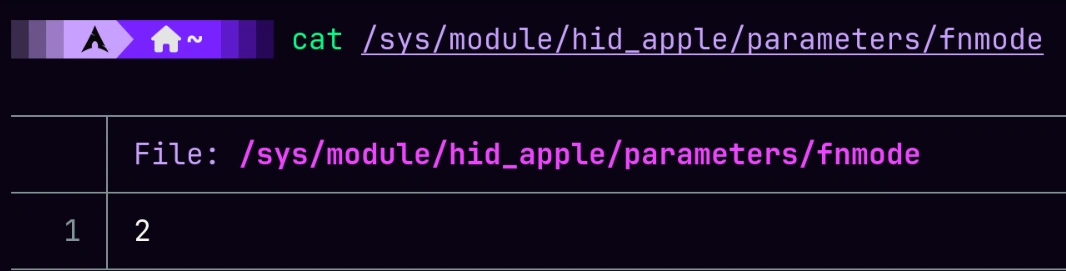
The funny thing is that this warning looks like a problem, but it is also the kernel trying to save you from a worse configuration.
This is where I initially took the easy path: I thought everything came down to fnmode.
But no.
That message means something more specific: hid-apple is loaded, yes, but on the interfaces where this warning appears, the driver disabled the Fn quirk. In plain English: the keyboard is still using the hid-apple driver, but the special logic that swaps F-keys and media keys may not apply on those interfaces.
The interesting part is that not all interfaces showed that warning. Interface .0003, which appears to be the main keyboard interface, did not show it. So fnmode could still affect part of the device, or it could be mostly decorative depending on what keycodes the keyboard firmware was actually sending.
So yes, fnmode exists. But you cannot automatically assume it controls the entire behavior of this keyboard.
The fnmode parameter
The hid-apple driver has a global parameter called fnmode:
/sys/module/hid_apple/parameters/fnmodeThat parameter controls how F-keys and media keys behave on Apple keyboards where special Fn handling is active.
| Value | Name | What it does |
|---|---|---|
0 | disabled | No special Fn handling. F-keys come out as-is. |
1 | fkeyslast | F-keys by default, media keys with Fn |
2 | fkeysfirst | Media keys by default, F-keys with Fn |
On a real Apple keyboard, this absolutely matters.
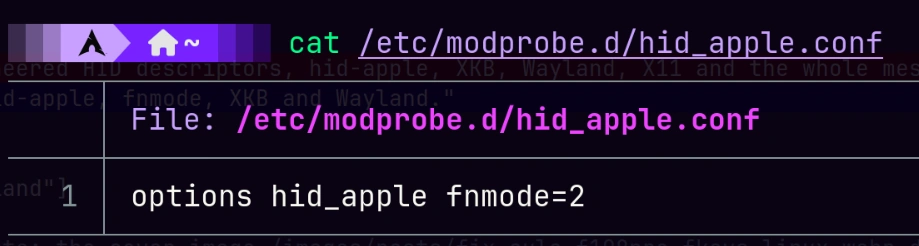
And this is the value I ended up leaving configured:
options hid_apple fnmode=2But my Aula F108Pro is not a real Apple keyboard.
The Fn key physically exists, of course, but on many mechanical keyboards the firmware handles it internally. Sometimes it does not travel over USB as a normal key. The firmware decides which HID code to send:
Press F1      → the keyboard sends the HID code for F1 or a media key
Press Fn+F1   → the firmware decides to send the alternate code
So two things can happen:
fnmode=2really does affect an interface wherehid-applekeeps Fn handling active.- Or the keyboard firmware already sends the final keycodes, and
fnmodebecomes almost decorative.
In my case, the logs pointed to a weird mix:
hid-applewas definitely loaded.- Some interfaces showed
Fn key not found, so specialFnhandling was disabled there. - Interface
.0003did not show that warning, so I could not rule outfnmode=2still affecting something there. - The Aula F108Pro firmware was probably handling part of the logic internally too.
The correct version is uglier, but more honest:
fnmode=2 was configured globally for hid-apple,
but the final F1–F12 behavior depends on which interface keeps the Fn quirk
and which HID codes the keyboard firmware decides to send.
Linux does not give you a simple answer because apparently that would be too kind.
The actual fix I applied
This is the patch I applied:
echo 'options hid_apple fnmode=2' | sudo tee /etc/modprobe.d/hid_apple.conf
sudo mkinitcpio -P
sudo reboot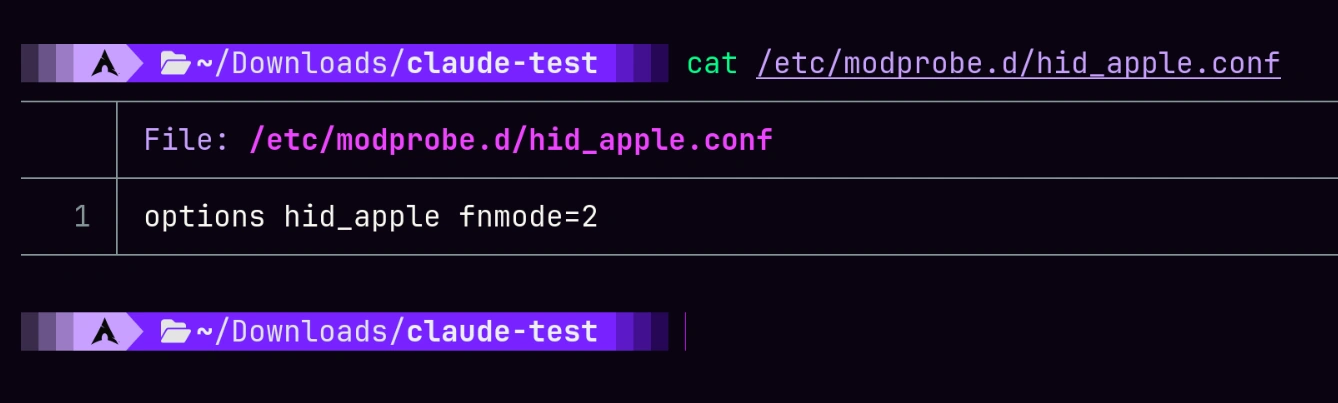
That was the practical fix.
But the important part was not only fnmode=2.
The important part was running:
sudo mkinitcpio -PBecause on my system, hid_apple can load very early, inside the initramfs.
And if the module loads inside the initramfs, but your configuration only exists on the real filesystem, you are late. The module has already started with its defaults before /etc/modprobe.d/hid_apple.conf exists for that boot.
The Linux equivalent of showing up with a fire extinguisher after the kitchen already burned down.
Why mkinitcpio -P mattered in my case
My mkinitcpio.conf has hooks like these:
HOOKS=(base systemd autodetect microcode modconf keyboard keymap sd-vconsole block sd-encrypt filesystems fsck)The key hook is:
modconfThat hook copies files from:
/etc/modprobe.d/into the initramfs.
And that matters because I also use LUKS encryption.
The boot sequence roughly looks like this:
initramfs loads
hid_apple may load there
the keyboard must work so I can type the LUKS passphrase
only then root gets unlocked
only then the real system starts
So if hid_apple loads before the disk is unlocked, it needs to read its config before the real root filesystem exists.
That is why creating this file was not enough by itself:
/etc/modprobe.d/hid_apple.confI also had to rebuild the initramfs:
sudo mkinitcpio -PThat way, the configuration is baked into the boot image.
In my case, that part was critical because I use LUKS. If the keyboard behaves weirdly before unlocking the disk, it does not help much if the real system gets the correct config later.
Nice fix, bro, but if it arrives after the password prompt, you are already fucked.
Confirming the keyboard is still the same weird little creature
After all this, the keyboard can still show up as an Apple Wireless Keyboard clone.
That does not necessarily mean anything is wrong.
The device still announces the same Vendor ID and Product ID:
05AC:024FSo Linux can keep loading hid-apple.
The important difference is this:
hid-apple is bound to the device,
fnmode=2 is configured globally,
but some interfaces may have Fn handling disabled because they were detected as clones.
It is not enough to say:
hid-apple is loaded, therefore fnmode controls everything.The correct version is:
hid-apple is loaded,
fnmode exists as a global value,
but each interface can have different quirks,
and the keyboard firmware can also decide which HID codes to send.
That explains why the keyboard can work even if the explanation is not as clean as “I set fnmode=2 and magic happened”.
Beautiful chaos.
How to check whether fnmode actually affects your keyboard
You can test it at runtime without changing your persistent config:
echo 0 | sudo tee /sys/module/hid_apple/parameters/fnmodeThen test F1, F2, F3, etc.
To go back to the value I left configured:
echo 2 | sudo tee /sys/module/hid_apple/parameters/fnmodeIf the F1–F12 behavior changes when you move fnmode, then hid-apple is actually affecting that interface.
If nothing changes, then the keyboard firmware is probably sending the correct codes directly and fnmode is just pretty decoration in /sys.
That change is temporary. It does not survive reboots.
The persistent value still comes from:
/etc/modprobe.d/hid_apple.confand, if it needs to apply early in boot, from whatever got copied into the initramfs after:
sudo mkinitcpio -POne keyboard, five HID interfaces
Another interesting thing from the journal: the Aula/F108Pro does not show up as one simple device.
It shows up as several HID interfaces:
| Interface | Kernel name | Role |
|---|---|---|
input0 | hidraw4, Keyboard | Main keyboard: letters, numbers, modifiers |
input1 | hidraw5, Mouse | Mouse-like interface, used for some weird functions |
input2 | hidraw6, Keyboard + hiddev100 | Second keyboard interface: media keys, brightness, or consumer controls |
input3 | hidraw7, Device + hiddev101 | Vendor-specific interface: config, macros, RGB, VIA/QMK, or manufacturer software |
input4 | hidraw8, Device + hiddev102 | Another vendor-specific interface: firmware update, RGB, or macro storage |
So you plug in “one keyboard” and Linux sees a small zoo:
hidraw4
hidraw5
hidraw6
hidraw7
hidraw8
hiddev100
hiddev101
hiddev102
/dev/input/eventN
That is not necessarily bad. Modern peripherals often work like this.
Your keyboard is not just a keyboard. It may also expose media controls, macros, RGB, configuration mode, firmware update mode, and who knows what other crap the manufacturer threw in there.
Linux is just showing all the layers.
Why it shows up as a mouse
The logs also show this:
USB HID v1.00 Mouse [F108Pro Dongle]No, your keyboard did not become a mouse.
Many keyboards expose a mouse-like interface for volume knobs, special controls, weird gestures, pointer fallback, or proprietary software features.
It is ugly, but normal.
USB HID is like an old toolbox: everything fits, nothing is surprising, and there is always some rusty screwdriver nobody knows who put there.
What systemd-logind has to do with this
These lines also show up:
systemd-logind[1505]: Watching system buttons on /dev/input/event6 (F108Pro Dongle)
systemd-logind[1505]: Watching system buttons on /dev/input/event8 (F108Pro Dongle)
systemd-logind watches certain input devices to detect system buttons like power or sleep.
Since the keyboard presents itself as Apple, and Apple keyboards can report system keys, logind decides to watch some of its event devices.
That does not mean anything is broken.
It just means Linux is saying:
This little bastard might have a power button. Better keep an eye on it.Linux being Linux: paranoid, detailed, and a little intense.
XKB and GNOME warnings
After checking the hid-apple side, there were still other GNOME Shell warnings:
gnome-shell[3895]: The XKEYBOARD keymap compiler (xkbcomp) reports:
gnome-shell[3895]: > Warning: Multiple symbols for level 1/group 1 on key <FK23>
gnome-shell[3895]: > Warning: Symbol map for key <FK23> redefined
gnome-shell[3895]: > Warning: Symbol map for key <FK24> redefined
gnome-shell[3895]: Errors from xkbcomp are not fatal to the X server

gnome-shell[3896]: > Warning: Unsupported maximum keycode 709, clipping.
gnome-shell[3896]: > X11 cannot support keycodes above 255.
gnome-shell[3896]: > Warning: Virtual modifier Hyper multiply defined
gnome-shell[3896]: > Warning: Virtual modifier ScrollLock multiply defined
These warnings look scary out of context, but in this case they were not the main problem.
They were extra noise.
<FK23> and <FK24> redefined
XKB names keys with four-letter codes:
<AC01>is the letter row, column 1. On QWERTY, that isA.<TLDE>is the tilde key.<ESC>is Escape.- Function keys go from
<FK01>to<FK24>.
Yes, F23 and F24 exist in the XKB universe, even if your keyboard probably does not have those physical keys.
The F108Pro can report some media keys or layered keys using codes that end up mapping to <FK23> and <FK24>.
The evdev XKB layout may already have those slots defined for something else, like XF86Tools, XF86Launch5, etc.
So xkbcomp sees two definitions for the same key and complains:
Multiple symbols for level 1/group 1 on key <FK23>
Symbol map for key <FK23> redefined
But nothing explodes.
It picks a definition, usually the last one, and moves on.
The keys work; only one definition wins.
maximum keycode 709, clipping
Another interesting warning:
Unsupported maximum keycode 709, clipping.
X11 cannot support keycodes above 255.
The Linux input subsystem supports fairly high keycodes. Manufacturers use those ranges for media keys, special buttons, weird controls, and all that “gamer key” wildlife some product manager decided to add.
My F108Pro reported codes up to 709.
The problem is X11.
X11 has an old limit: it cannot represent keycodes above 255.
So xkbcomp clips those keycodes.
On pure X11, those high keys might not work. The kernel receives them, but they get lost crossing the X11 boundary.
But in my case I use Wayland:
echo $XDG_SESSION_TYPEWayland does not have that limit in the same way, because the compositor reads events directly from evdev.
So why does GNOME still print the warning?
Because GNOME Shell still initializes XKB for XWayland clients. And XWayland still carries X11’s old limitations like technical debt nobody has fully paid off.
Duplicate virtual modifiers
These also show up:
Warning: Virtual modifier Hyper multiply defined
Warning: Virtual modifier ScrollLock multiply defined
XKB has virtual modifiers like Alt, Meta, Super, Hyper, NumLock, ScrollLock.
If multiple layout rules define Hyper or ScrollLock, xkbcomp complains about duplicates.
But again: it does not mean the keyboard is broken.
It means XKB found duplicate definitions, complained like an old man watching roadworks, kept one, and moved on.
GNOME Settings Daemon noise
I also saw this:
gsd-keyboard[5316]: g_variant_unref: assertion 'value != NULL' failedLooks ugly.
Looks like a bug.
Looks like something should be on fire.
But in this case it was startup noise from the gnome-settings-daemon keyboard plugin.
The daemon recovers, finishes starting, and applies the keyboard configuration normally.
GNOME trips on a rock, swears in C, and keeps walking.
The keybinding overwrite spam
After Shell finishes loading, dozens of lines like these appear:
gnome-shell[5195]: Overwriting existing binding of keysym 31 with keysym 31 (keycode a).
gnome-shell[5195]: Overwriting existing binding of keysym 36 with keysym 36 (keycode f).
gnome-shell[5195]: Overwriting existing binding of keysym 34 with keysym 34 (keycode d).
gnome-shell[5195]: Overwriting existing binding of keysym 39 with keysym 39 (keycode 12).
This was not coming from the keyboard.
It was coming from GNOME Shell’s shortcut system, which noticed multiple things trying to register the same keysym/keycode.
Keysyms like 31, 36, 34, 39 are hexadecimal:
0x31is10x36is6
So GNOME was basically saying:
I am registering this key again. Something was already here, but whatever, I am overwriting it.The most likely cause: GNOME Workspace Switcher plus extensions that also bind Super+1 through Super+9.
In my case there were plenty of suspects:
advanced-alt-tabsimple-workspaces-barwsmatrixnamed-workspacesworkspace-indicator
Enough extensions to start a civil war over workspace shortcuts.
The bindings worked. It was noise.
Other devices that showed up nearby
While reading the journal, I also saw other input devices:
| Device | Driver | USB ID | Path | Role |
|---|---|---|---|---|
| F108Pro Dongle | hid-apple | 05AC:024F | 1-6.4.1 | Main keyboard, with 5 HID interfaces |
| ASUS AURA LED Controller | hid-generic | 0B05:19AF | 1-2 | Motherboard RGB control |
| LG Monitor Controls | hid-generic | 043E:9A39 | 1-9.3 | DDC/CI brightness over USB |
| Logitech G522 LIGHTSPEED | hid-generic | 046D:0B18 | 1-6.4.2 | Wireless headset receiver |
| Razer Naga Pro | hid-generic | 1532:0090 | 1-6.1.2 | Mouse; exposes multiple HID interfaces, including a fake keyboard for macros |
| RAZER Razer Mouse Dock | hid-generic | 1532:007E | 1-6.1.3 | Charging dock; also exposes a fake keyboard interface |
| Receiver Update | hid-generic | 1A34:F517 | 1-6.4.3 | Another dongle in firmware update mode |
That Receiver Update was curious too. Vendor 1A34 usually points to Holtek, so some receiver or dongle was probably sitting in firmware-update mode.
Interesting, but not directly related to F1–F12.
Another rabbit hole for another day.
USB topology cross-reference
Another thing visible in the logs: the F108Pro dongle used to appear on one USB path and later on another.
For example:
usb 1-6.1.1
usb 1-6.4.1
That usually means you moved it from one USB hub port to another.
The kernel does not care. It re-enumerates the device, reloads the right driver, and moves on.
But the path reveals the topology:
0000:00:14.0— the USB 3.x xHCI controller on the chipset.usb1— root hub bus 1.1-6— port 6 of the root hub.1-6.1,1-6.4— internal ports on the hub connected there.
Not a problem.
Just another detail that shows up when you start reading logs like a detective novel.
What if I wanted to silence the warnings?
The important fix was understanding what was happening with hid-apple, Fn, fnmode, the initramfs, and the keyboard firmware.
But if you still want to silence things, there are a few routes.
Test fnmode
You can test fnmode, but do not sell it as a universal fix for this keyboard.
echo 0 | sudo tee /sys/module/hid_apple/parameters/fnmodeThen test F1–F12.
To go back to the value I left configured:
echo 2 | sudo tee /sys/module/hid_apple/parameters/fnmodeIf the behavior changes, then hid-apple is affecting that interface.
If nothing changes, the keyboard firmware is probably sending the correct codes directly and fnmode is just pretty decoration in /sys.
Force hid-generic
You could also try to make the keyboard use hid-generic instead of hid-apple, for example with more specific udev rules or driver binding.
But honestly, that is more delicate.
You could break useful behavior or miss future fixes that land in hid-apple.
In my case, understanding how hid-apple, fnmode, the initramfs, and the firmware were mixing together was enough.
No need to pull out a chainsaw to slice bread.
Patch XKB
The <FK23>, <FK24>, and duplicate modifier warnings come from files like:
/usr/share/X11/xkb/symbols/You could make local overrides in:
/etc/X11/xkb/But that is extra maintenance just to silence warnings.
A lot of work just to make the journal look pretty.
Pass.
Disable GNOME extensions
The "Overwriting existing binding" spam can be reduced by removing extensions that overwrite GNOME shortcuts.
But if the extensions are useful to you, just live with the noise.
Sometimes the mature solution is not “make everything warning-free”.
Sometimes the mature solution is understanding what the hell each warning means and then deciding to stop chasing ghosts.
Conclusion
The problem looked simple: my F1–F12 keys stopped behaving properly.
But underneath, there were more layers:
- The Aula F108Pro presented itself as an Apple Wireless Keyboard.
- Linux loaded
hid-apple. - The driver looked for a real
Fnkey on some interfaces. - On some of them, it could not find it, so it disabled special
Fnhandling for those interfaces. - The main interface did not show the exact same warning, so
fnmode=2could still have some effect. - The keyboard firmware could also be handling internally which HID codes to send.
- Because I use LUKS, I needed the
hid_appleconfiguration to be available from the initramfs. - That is why the real fix was creating
/etc/modprobe.d/hid_apple.confwithoptions hid_apple fnmode=2and then runningsudo mkinitcpio -P. - GNOME/XKB printed additional warnings that looked serious, but were noise.
- Wayland, XWayland, and X11 added their own historical debt to the journal.
My initial mistake was thinking fnmode explained everything.
The truth was more subtle:
hid-apple was definitely loaded,
but the F1–F12 behavior was not what I wanted.

So I forced fnmode=2 globally for the hid_apple module,
rebuilt the initramfs with mkinitcpio -P,
rebooted,
and only then did the configuration apply correctly from early boot.
So the story was not simply “change this parameter and done”.
The story was more Linux:
The keyboard pretended to be Apple.
Linux loaded hid-apple.
Some interfaces smelled like a clone and disabled part of the Apple magic.
The keyboard firmware did its own thing too.
And because I use LUKS, I had to bake the config into the initramfs.
The practical fix was:
echo 'options hid_apple fnmode=2' | sudo tee /etc/modprobe.d/hid_apple.conf
sudo mkinitcpio -P
sudo reboot
Sometimes a warning is not the problem.
Sometimes it is the system telling you: “relax viejo, I already saw the stupid shit.”
The lesson: a noisy journal does not always mean your system is broken. Sometimes it just means the system is telling you, in way too much detail, how it is interpreting your weird hardware.
Reading those messages, understanding the layers, and knowing which warnings matter is more useful than chasing the fantasy of “zero warnings”.
Because on Linux, a fix often does not start by installing something.
Read the fucking LOGs.
Comments
Stay in the loop
New posts about Linux, debugging, and systems programming. No noise, no spam — just signal.